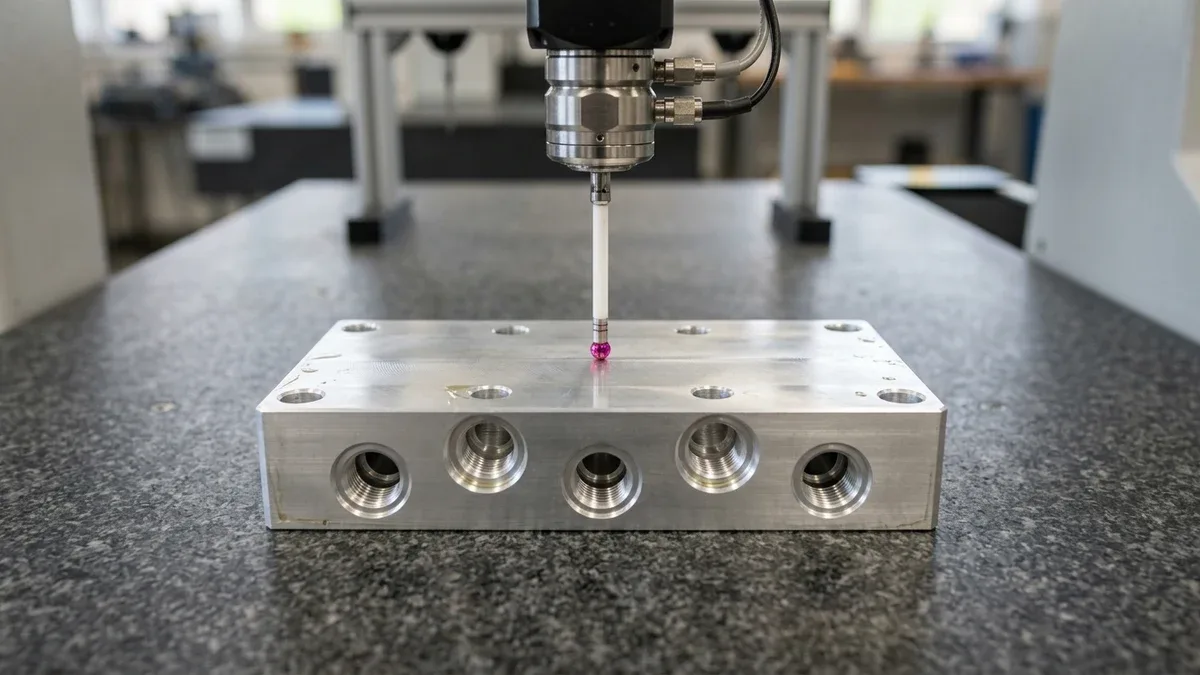
In modern mechanical engineering and digital manufacturing, 3D CAD solid modeling software (such as SolidWorks, Siemens NX, PTC Creo, and CATIA) has revolutionized how products are conceptualized, analyzed via FEA, and programmed on multi-axis CNC machine tools using CAM toolpaths.
However, despite the widespread adoption of Model-Based Definition (MBD) and 3D STEP/IGES exchange files, the 2D engineering drawing (often termed a mechanical blueprint, manufacturing print, or detail drawing) remains the indispensable, legally binding contract of record across global manufacturing supply chains.
While a 3D solid model accurately communicates basic nominal volumetric geometry, it cannot independently communicate the critical physical specifications that dictate whether a component will assemble, seal, and survive in the field. Critical design attributes—including linear tolerances (e.g., ± 0.005 mm), Geometric Dimensioning & Tolerancing (GD&T) datum reference frames, thread classes, surface roughness (Ra), heat treatment hardness, and protective plating allowances—must be rigorously documented on a standardized 2D engineering print.
At AS Prototypes, we machine mission-critical aerospace, medical, robotic, and automotive components held to micron-level precisions. This definitive engineering guide examines the anatomical structure of 2D manufacturing drawings, the critical operational distinction between First Angle and Third Angle projections, GD&T feature control frames, title block standards (ASME vs. ISO), and the most frequent 2D drawing mistakes that compromise CNC manufacturability.
Executive Summary & Engineering Takeaways (BLUF)
- 3D CAD + 2D Print Synergy: While 3D STEP/IGES models define nominal volumetric geometry for CAM toolpaths, a 2D engineering drawing remains the legally binding contract specifying critical fit tolerances, surface roughness, thread classes, and exact alloy and temper specifications.
- Achievable Tolerance Envelope: Unnoted features default to ISO 2768-mK; critical bearing bores, dowel pin holes, and datum surfaces hold ±0.010 mm to ±0.020 mm (±0.0004″ to ±0.0008″), while Wire EDM and cylindrical grinding achieve ±0.005 mm (±0.0002″).
- Projection & GD&T Clarity: Always verify Third-Angle (ASME Y14.5, North America) versus First-Angle (ISO 128, Europe/Asia) title-block symbols and anchor Feature Control Frames to functional, physically accessible Datum Reference Frames (A-B-C).
- Metrology & Inspection Verification: On-machine spindle probing paired with 20°C ± 1°C (68°F) climate-controlled Zeiss CMM coordinate inspection, 2.5D optical vision systems (VMS), and calibrated Go/No-Go plug and thread gauges.
Article Engineering Navigation
- 1. Why 2D Engineering Drawings Remain Crucial in the 3D CAD Era
- 2. Projection Systems: First Angle vs. Third Angle Projection
- 3. Anatomy of a Professional 2D Engineering Drawing
- 4. Types of Engineering Drawing Views
- 5. Standard Line Types and Drawing Semantics (ISO 128 / ASME Y14.2)
- 6. 2D Engineering Drawing Elements & Standards Matrix
- 7. Dimensioning Best Practices: Baseline vs. Chain Dimensioning
- 8. Geometric Dimensioning & Tolerancing (GD&T) Integration
- 9. Top 6 Fatal 2D Drawing Mistakes & AS Prototypes DFM Recommendations
- 10. Technical Engineering FAQ
1. Why 2D Engineering Drawings Remain Crucial in the 3D CAD Era
A frequent question asked by rapid prototyping customers is: “Why do I need to prepare a 2D PDF drawing when I have already provided a pristine 3D CAD solid model?”
From a manufacturing and quality assurance perspective, a 3D model and a 2D drawing serve complementary, non-redundant roles:
- Contractual Authority & Legal Hierarchy: In precision manufacturing contracts, technical drawings represent the definitive legal standard against which parts are formally accepted or rejected during comprehensive First Article Inspection (FAI). If a discrepancy exists between a 3D solid model and a dimension callout on a released 2D print, the 2D drawing takes precedence.
- Tolerance Communication & Critical Feature Highlighting: Modern CNC milling machines cannot read design intent from raw geometry alone. A Ø 20.00 mm hole modeled in CAD could be a loose clearance hole (± 0.20 mm), a close sliding guide bore (H7, +0.021 / 0 mm), or a tight interference press fit (P7, -0.014 / -0.035 mm). Without a 2D drawing or ballooned print, machinists cannot establish spindle speeds, cutting feeds, or finishing tooling.
- Internal Features & Thread Specifications: Helical internal threads (e.g., M12 × 1.5 – 6H or 1/4-20 UNC-2B) are modeled as plain cosmetic cylinders in 3D CAD files to conserve file size and computational rendering performance. The 2D drawing explicitly details thread pitch, thread class, chamfer angles, minimum full thread depth, and tap drill pilot depth.
- Surface Finishes and Special Processes: Raw 3D models do not define micro-finish texture (Ra), chemical conversion coatings (MIL-DTL-5541), hard anodizing (MIL-A-8625 Type III), induction hardening zones, or passivated surfaces.
2. Projection Systems: First Angle vs. Third Angle Projection
Perhaps no drafting standard creates more catastrophic shop-floor confusion than the orientation of orthographic projection views. Depending on the geographical origin of the drawing, engineering blueprints are drafted in either First Angle Projection or Third Angle Projection.
First Angle Projection (ISO / European & Asian Standard)
Standardized under ISO 128, DIN, and GB standards, First Angle projection places the 3D object in the first quadrant of visual projection space. The object sits directly between the observer and the projection plane:
- The Top View (plan view) is projected onto the bottom plane and drawn below the Front View.
- The Right Side View is projected onto the left plane and drawn to the left of the Front View.
- The Left Side View is drawn to the right of the Front View.
Third Angle Projection (ASME / North American & Japanese Standard)
Standardized under ASME Y14.3, ANSI, and JIS standards, Third Angle projection places the object in the third quadrant. The projection plane sits between the observer and the object:
- The Top View is drawn naturally above the Front View.
- The Right Side View is drawn naturally to the right of the Front View.
- The Left Side View is drawn to the left of the Front View.
The Truncated Cone Projection Symbol: Every technical title block features an internationally recognized projection symbol depicting a truncated cone alongside its two circular concentric views. In Third Angle projection, the small circle is closest to the cone’s smaller front face. In First Angle projection, the small circle is placed on the opposite side. Misinterpreting this symbol causes CNC programmers to mirror asymmetrical brackets, resulting in expensive, 100% scrapped components!
3. Anatomy of a Professional 2D Engineering Drawing
A complete technical blueprint is structured into distinct, standardized graphic zones designed for rapid cross-referencing between CAD designers, tooling machinists, and CMM quality inspectors:
1. The Title Block
Positioned in the lower right-hand corner of the sheet, the title block establishes the administrative, legal, and baseline manufacturing parameters of the drawing. Crucial data elements include:
- Drawing Title & Part Number: Unique configuration-controlled identifiers.
- Revision Letter / Number: Tracks the active engineering change notice (ECN) to ensure production never machines an obsolete revision.
- Company Name & CAGE Code: Entity ownership and intellectual property notices.
- Material Specification: Exact chemical alloy and temper designation (e.g., Aluminum 6061-T6 per AMS 4027 or Titanium Ti-6Al-4V Grade 5 per ASTM B348).
- Scale & Sheet Size: Sheet formatting (A4 through A0 in ISO; Size A through Size E in ANSI) and drawing scale (1:1, 2:1, 1:5).
- Units of Measure: Explicit declaration of millimeters (mm) or inches (in).
2. The Revision History Block
Located in the upper right-hand corner, the revision table records every revision state, change description, authorizing engineer, and approval date. In aerospace and medical CNC production, First Article Inspection (FAI) packages must strictly trace to the exact revision recorded in this block.
3. Coordinate Grid & Border Zones
Standard engineering drawings incorporate alphanumeric coordinate grids (letters A–F along vertical margins, numbers 1–8 along horizontal margins). This coordinate system enables inspectors and CAM programmers to pinpoint specific features (e.g., “Please verify tap drill depth at grid coordinate D-4”) during technical DFM consultations.
4. General Tolerance Block (Title Block Tolerancing)
To avoid cluttering the drawing with repetitive tolerance callouts on non-critical features, title blocks declare baseline tolerances:
- Metric ISO Drawings (ISO 2768-1 / ISO 2768-2): Commonly reference ISO 2768-mK as the commercial baseline—where Class m (medium linear tolerance) specifies ±0.1 mm (0.5–6 mm), ±0.2 mm (6–30 mm), and ±0.3 mm (30–120 mm), while Class K governs general flatness and perpendicularity. Tight bearing fits (±0.010 to ±0.020 mm) must be toleranced explicitly on the feature.
- ASME / Imperial Inch Drawings: Utilize decimal-place title-block rules for untoleranced inch dimensions:
- .X (1 decimal place) ⇒ ± 0.030″ (± 0.76 mm)
- .XX (2 decimal places) ⇒ ± 0.010″ (± 0.25 mm)
- .XXX (3 decimal places) ⇒ ± 0.005″ (± 0.13 mm)
- .XXXX (4 decimal places) ⇒ ± 0.0005″ (± 0.013 mm)
- Angular ⇒ ± 0.5°
4. Types of Engineering Drawing Views
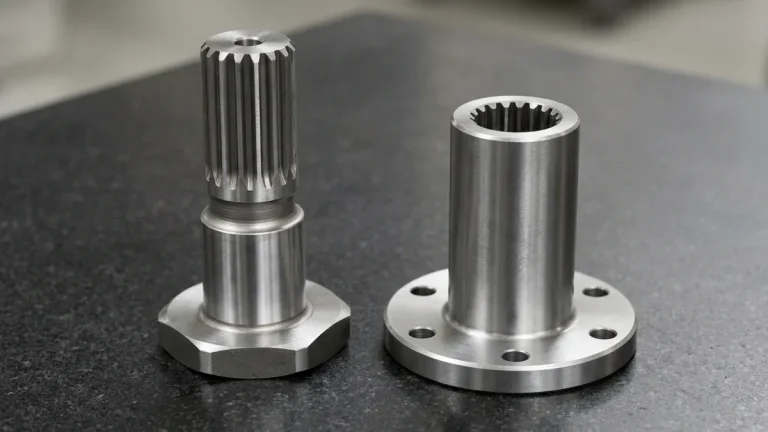
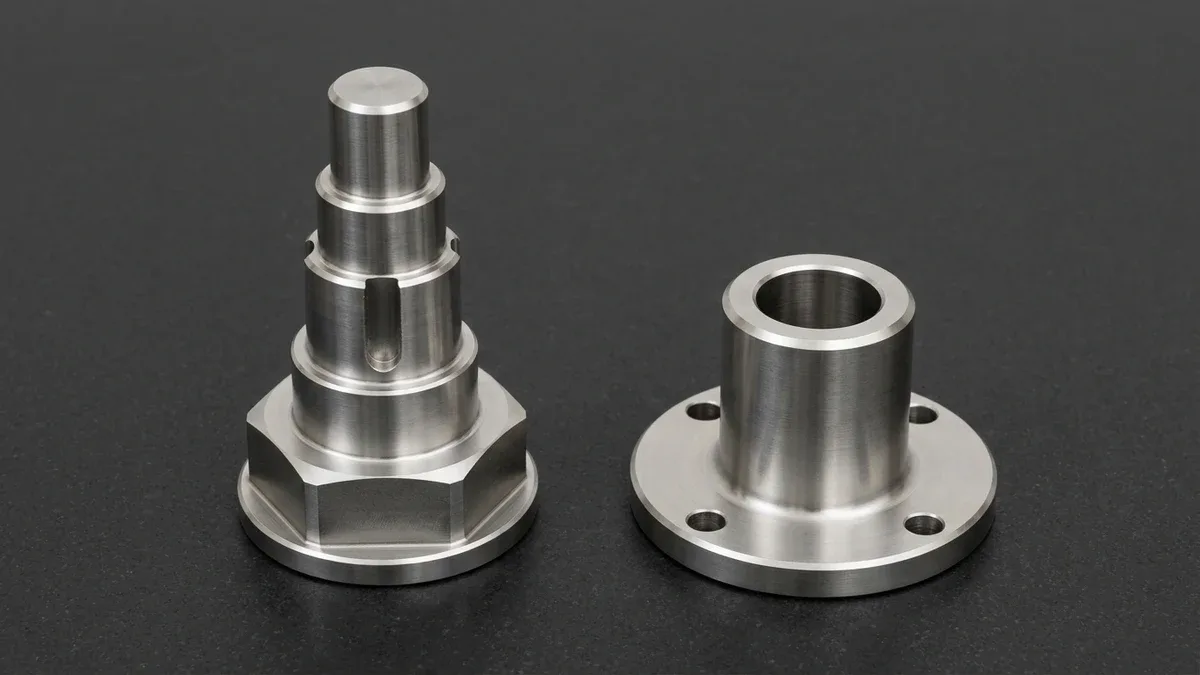
To establish a repeatable coaxial axis on cylindrical components, Figure 1 shows a precision CNC-turned 17-4PH stainless steel stepped actuator shaft supported horizontally across matched hardened steel V-blocks on a granite surface plate. Defining primary and secondary datum journals in this manner prevents axial runout accumulation during multi-setup turning and cylindrical grinding.
To completely convey complex three-dimensional objects onto a two-dimensional plane, technical draftsmen employ multiple specialized view types:
- Primary Orthographic Views: The standard front, top, and right-hand views showing external geometries, profile contours, and overall boundary dimensions.
- Section Views (Full, Offset, Broken-Out): Cutting plane lines (e.g., A-A) slice through complex internal geometries. The resulting section reveals internal oil galleries, counterbores, O-ring sealing grooves, and wall thickness transitions, marked by standard diagonal cross-hatching.
- Detailed / Enlarged Views: When small, intricate features (such as miniature undercut grooves, thread lead-ins, or micro-chamfers) cannot be clearly dimensioned at 1:1 scale, a circle is drawn around the area and projected as an enlarged view (e.g., “Detail B, Scale 5:1”).
- Auxiliary Views: When a part features an angled or inclined plane, standard orthographic views foreshorten the face. An auxiliary view projects perpendicular to the inclined face, displaying its true shape and true hole spacing.
- Isometric View: Positioned in the upper corner, a pictorial 3D isometric wireframe or shaded rendering allows machinists, CNC operators, and deburring technicians to instantly grasp the component’s physical spatial orientation.
5. Standard Line Types and Drawing Semantics (ISO 128 / ASME Y14.2)
Lines on an engineering blueprint are not merely graphic boundaries; their line weight, pattern, and dash structure define explicit geometric meaning:
- Continuous Thick Visible Lines (0.50 – 0.70 mm): Form the visible outlines, physical edges, and external contours of the part.
- Hidden Lines (0.25 – 0.35 mm, Short Dashes): Represent edges, internal bores, or rear steps that are concealed behind intervening solid material. While essential in simple drawings, excessive hidden lines on complex 5-axis parts create visual clutter; section views should be used instead.
- Centerlines (0.25 mm, Alternating Long and Short Dashes): Define axes of cylindrical features, bolt circle pitch diameters, and planes of geometric symmetry. Centerlines also establish functional datum axes.
- Dimension and Extension Lines (0.25 mm, Continuous Thin): Extension lines project from feature edges, bounded by arrowheads on dimension lines that carry the numerical dimension text and tolerance callout.
- Cutting Plane Lines (0.70 mm, Thick Dashed or Segmented Ends): Feature prominent directional arrowheads labeled with letters (A-A) indicating the viewing direction for section cuts.
6. 2D Engineering Drawing Elements & Standards Matrix
Below is an engineering comparison matrix detailing the primary elements found on precision manufacturing drawings, their governing international standards, and their direct impact on shop-floor CNC machining and quality inspection:
| Drawing Element | Primary Governing Standards | Typical Representation / Syntax | CNC Machining & CAM Impact | Quality & Inspection Role |
|---|---|---|---|---|
| Projection Angle | ISO 128 / ASME Y14.3 | Truncated cone symbol (1st vs. 3rd Angle) | Dictates coordinate fixture orientation; misinterpretation causes mirrored parts. | Prevents incorrect coordinate alignment during CMM probe setup. |
| Linear Tolerances | ISO 286 / ASME Y14.5 | 25.00 ± 0.02 or 25.000 +0.015 / -0.000 | Determines tool selection (roughing vs. finishing endmills, boring bars, reamers). | Directly measured using digital micrometers, calipers, or optical comparators. |
| GD&T Feature Frame | ASME Y14.5 / ISO 1101 | [ Position | Ø 0.05 (M) | A | B | C ] | Controls functional relationship between features across multi-axis setups. | Requires CMM programming or functional Go/No-Go hard functional receiver gauges. |
| Surface Texture | ISO 1302 / ASME B46.1 | Check-mark symbol with Ra ≤ 0.8 μm | Dictates step-over, tool feed per tooth, and post-machining polishing/grinding. | Inspected using contact stylus profilometers or white-light optical interferometers. |
| Thread Callouts | ISO 965 / ASME B1.1 | M8 × 1.25 – 6H ↓ 16 / 1/4-20 UNC-2B | Selects tap type (spiral flute vs. form tap) or CNC thread milling toolpaths. | Verified with calibrated thread plug gages (Go/No-Go pitch diameter check). |
| General Tolerances | ISO 2768 / Title Block | “Tolerances per ISO 2768-m” or “.XX = ± 0.05” | Applies baseline tolerances to untoleranced chamfers, fillets, and non-critical profiles. | Sampling inspection verification on non-critical exterior dimensions. |
7. Dimensioning Best Practices: Baseline vs. Chain Dimensioning
How dimensions are arranged on a drawing directly determines whether errors accumulate into catastrophic tolerance stack-up:
The Danger of Chain Dimensioning
Chain dimensioning (dimensioning from one hole to the next in series) introduces cumulative tolerance stack-up. If four consecutive holes are dimensioned at 20.00 ± 0.10 mm, the position of the final hole relative to the starting edge can drift by ± 0.40 mm. This cumulative error frequently prevents mating pins, alignment dowels, or multi-screw patterns from aligning.
The Precision of Baseline (Datum) Dimensioning
In baseline dimensioning, all linear dimensions originate from a common reference edge or datum plane (X=0, Y=0). Because each feature’s coordinate is established independently from the origin, tolerances never compound. The final hole remains within its designated ± 0.10 mm boundary regardless of the number of preceding features. AS Prototypes strongly advocates baseline or coordinate table dimensioning for all multi-hole plates and precision machined manifolds.
8. Geometric Dimensioning & Tolerancing (GD&T) Integration
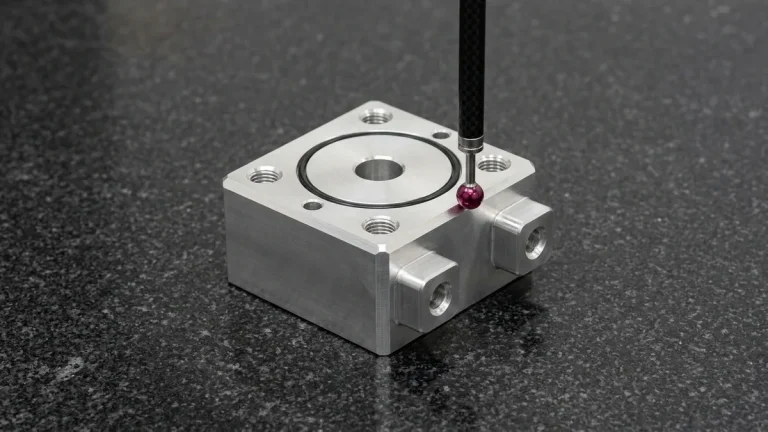
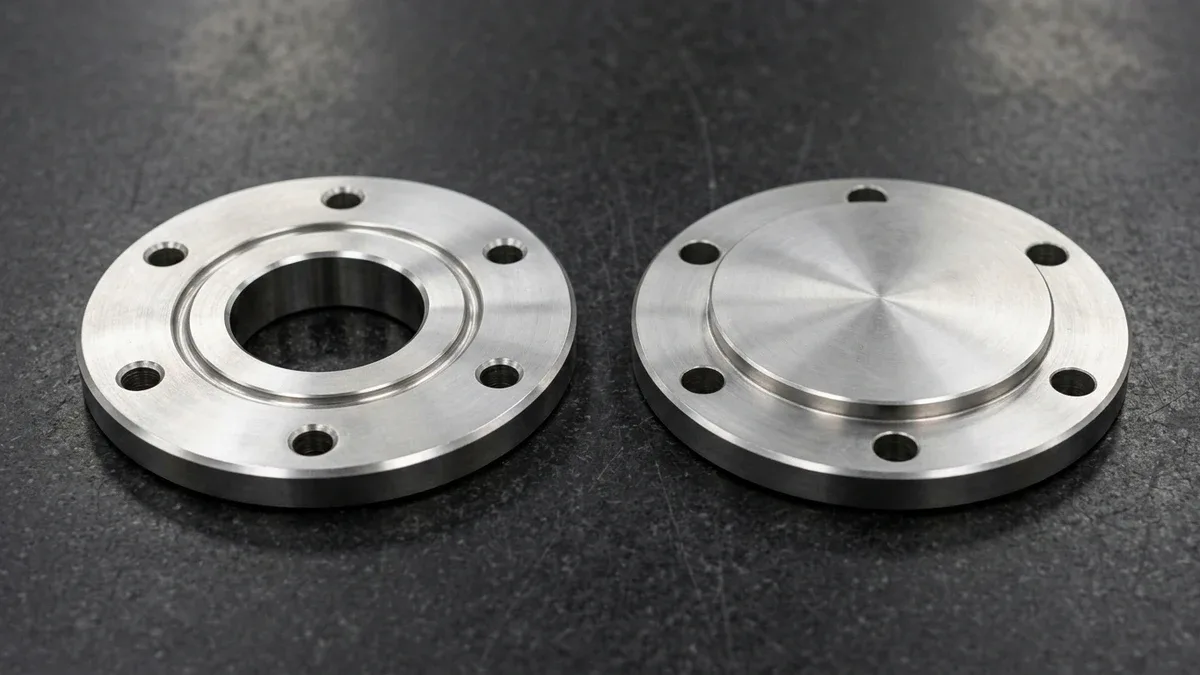
For prismatic and flanged housings, Figure 2 displays a pair of CNC-machined 316L stainless steel circular bearing flange housings resting flat on black granite to expose their honed central bores and perimeter O-ring sealing grooves. Referencing the flat mounting face as primary Datum A ensures perpendicularity across the bolt circle during First Article Inspection.
Traditional plus-minus tolerancing (±) is mathematically flawed when applied to complex assemblies because it creates square tolerance zones. A ± 0.05 mm square tolerance zone has a diagonal boundary that allows up to 0.071 mm of variance in corners while restricting variation along axes.
GD&T (ASME Y14.5 / ISO 1101) resolves this by establishing cylindrical tolerance zones (Ø 0.05 mm), providing 57% more usable tolerance area for CNC machinists while guaranteeing 100% functional assembly with round mating fasteners.
The Feature Control Frame Decoded
A standard GD&T feature control frame is read from left to right:
- Geometric Characteristic Symbol: ⊕ indicates True Position (locational control).
- Tolerance Zone: Ø 0.05 defines a cylindrical boundary of 0.05 mm diameter centered on the feature’s true theoretical location.
- Material Modifier: (M) denotes Maximum Material Condition (MMC). If a hole is produced larger than its smallest permissible size, the machinist earns “bonus tolerance,” reducing part rejection rates without compromising structural integrity.
- Datum Reference Frame (A | B | C): Defines the physical clamping and measurement hierarchy: Primary Datum A (typically a flat mounting face that arrests 3 degrees of freedom), Secondary Datum B (locating edge or bore, arresting 2 degrees of freedom), and Tertiary Datum C (arresting the final rotational degree of freedom).
9. Top 6 Fatal 2D Drawing Mistakes & AS Prototypes DFM Recommendations
Our engineering team regularly conducts Design for Manufacturability (DFM) reviews on hundreds of customer prints weekly. Avoiding these six common drafting errors will dramatically reduce your CNC machining costs, accelerate turnaround times, and eliminate component scrap:
1. Over-Dimensioning & Closed Dimension Loops
The Mistake: Dimensioning every segment across an entire profile, plus adding an overall length dimension. This creates a mathematically over-constrained condition. If manufacturing tolerances vary slightly across individual segments, they conflict with the overall dimension, leaving machinists uncertain which tolerance takes legal precedence.
The Fix: Always leave one non-critical dimension untoleranced, or format the overall boundary as a reference dimension in parentheses, e.g., (120.00 mm).
2. Specifying Razor-Sharp Internal 90° Corners
The Mistake: Modeling internal pocket corners with sharp square vertical edges. Because CNC milling endmills are cylindrical, they cannot cut a sharp internal vertical corner; attempting to do so requires costly, time-consuming sinker EDM processing.
The Fix: Add an internal corner radius that is slightly larger than standard endmill radii (e.g., design a 3.5 mm radius for a standard 6 mm diameter cutter). This allows the tool to sweep smoothly through the corner without decelerating, chattering, or deflecting.
3. Missing “Before vs. After Plating” Dimension Notes
The Mistake: Calling out a tight ± 0.010 mm pin bore or a precision 6H thread without specifying whether dimensions apply before or after surface finishing. Applying MIL-A-8625 Type III Hard Anodize (25–50 μm total film thickness, growing 50% inward and 50% outward) adds 12.5 to 25 μm (0.0005″ to 0.001″) of net outward build-up per surface (reducing internal bore diameters by 25 to 50 μm total), closing bores and causing threads to seize during assembly.
The Fix: Explicitly note on the drawing: “All dimensions and thread tolerances apply AFTER surface treatment,” or provide dedicated pre-plate machining tolerances.
4. Floating Datums & Inaccessible Fixturing References
The Mistake: Designating a draft-angled cast face, a flexible thin sheet metal rib, or a tiny chamfer as the Primary Datum A. Machinists must be able to securely clamp and locate the workpiece on a rigid, flat datum surface.
The Fix: Select substantial, precision-machined reference faces with maximum surface contact as your primary and secondary datums.
5. Full Thread Depth to the Absolute Bottom of Blind Holes
The Mistake: Specifying full threads cut to the exact bottom of a blind drilled hole. Standard tapping tools feature lead-in chamfers (1.5 to 3 threads long) that cannot cut full-profile threads to the absolute blind bottom without bottoming out and snapping the tap.
The Fix: Always allow an unthreaded pilot depth at the bottom of blind tapped holes equal to at least 2 × to 3 × the thread pitch.
6. Unrealistic Global Tolerances
The Mistake: Leaving a default title block tolerance of ± 0.01 mm or ± 0.0005″ active across the entire drawing, forcing machinists to treat non-critical cosmetic chamfers and exterior clearances with the same slow, expensive toolpaths as bearing fits.
The Fix: Apply relaxed general tolerances (± 0.1 mm to ± 0.2 mm) in the title block, and restrict tight tolerances strictly to functional mating faces and bores.
Shop-Floor Cost-Tolerance Trade-Offs & When NOT to Over-Specify
When releasing production drawings for custom CNC machined components, applying blanket ±0.005 to ±0.010 mm (±0.0002″ to ±0.0004″) tolerances across non-mating clearance features increases machining cycle time by 2.0× to 3.5× without improving assembly performance. Our DFM engineers recommend specifying ISO 2768-mK on general structural walls while isolating tight GD&T callouts strictly to functional bearing bores, dowel pins, and sealing interfaces.
In our Shenzhen facility, prismatic 3-axis and 4-axis vertical machining centers (VMCs) with contoured soft jaws handle 80%+ of structural setups with maximum rigidity and cost efficiency, reserving simultaneous 5-axis contouring strictly for compound-angle ports and organic impellers. Every batch undergoes climate-controlled 20°C (68°F) Zeiss CMM verification prior to ex-factory release (4 to 8 business days for raw prototypes; 7 to 12 business days with MIL-A-8625 anodizing or ASTM A967 passivation).
🔗 Related CNC DFM & Metrology Engineering Guides
10. Technical Engineering FAQ
Yes, standard prismatic parts without threads or press fits are machined directly from 3D STEP files under ISO 2768-mK tolerances (±0.10–0.20 mm). However, features with tapped holes, ±0.010 mm bearing fits, ASME Y14.5 GD&T callouts, or anodized masking zones require a 2D PDF drawing.
A ballooned drawing assigns a unique numbered circle to every linear dimension, ASME Y14.5 GD&T frame, thread note, and roughness target (Ra 0.8–3.2 µm). Each number maps directly to our First Article Inspection report, logging nominal specification limits against actual Zeiss CMM and pin-gauge measurements.
Specify metric threads per ISO 965 by pitch and class (M6 × 1.0–6H internal, 6g external) or Unified threads per ASME B1.1 (1/4-20 UNC-2B). For blind tapped holes, always define minimum full thread depth and leave 2×–3× pitch unthreaded pilot relief at the bottom.
MIL-A-8625 Type II anodizing (8–20 µm film) adds 3–7 µm per surface, while Type III hardcoat (25–50 µm film) adds 12.5–25 µm outward per wall. Because hardcoat shrinks internal bores by 25–50 µm, drawings must explicitly state whether tight ±0.010 mm tolerances apply pre-plate or post-plate.
Ready to Validate Your CAD Design for Precision Manufacturing?
Upload your 3D CAD models (STEP, IGES, SolidWorks) and 2D engineering drawings for a comprehensive DFM engineering review and custom quotation from our in-house CNC machining and prototyping team.
Request a Custom DFM Review & Quote →